Once exclusive to only businesses and corporations in the past, networks have become commonplace in almost all aspects of our life now. Do you have WIFI at home? Are there multiple computers connected to the internet and a printer you all share at work? You’re on a network!
Having all your personal computers, smartphones, tablets, home automation devices, tv’s and other devices all connected seems so easy that we do it without a thought and a lot of times, without a professional. But what’s really going on? Are you set up correctly? Are you open to intrusion from a hacker? Is your network as fast as it should be? Do you pay for fast internet but get choppy streaming?
We’d like to give you a few tips on setting up your network and maybe some insight in to why you should hire Cyberdyne Systems to clean up your piece of the cloud.
- Your modem/router.
This is where your cable or DSL connection physically comes into your home or business and is connected. If provided by the ISP (Internet Service Provider), this will most likely have a default username and password for the router AND the default WIFI it comes set up with. For most people this is fine since these companies have changed to using complex passwords now instead of simple ones in the past. If you are using your own equipment, you will want to change your admin name and password as soon as you get into the device and make sure you save this information somewhere safe. A good password policy is to make it at least 8 characters in length with at least ONE capital letter, ONE lower case letter, ONE number and ONE special character (Like #, $,@, %, etc)
- Your WIFI.
This is what you configure to actually connect to your network wirelessly. Your router will probably have default values for the SSID (Service Set Identifier). This is basically the name you are going to use to identify YOUR wireless network. Make this name unique to other SSID’s around you. Security should be set at WPA2 and a strong password should be used here, again. (see min password strength above) At Cyberdyne Systems, we also recommend that you actually do NOT broadcast your SSID and just enter it manually. This adds an additional layer of security to your WIFI network.
- DHCP, DNS, IPV6, what are all these??
Basically, this is where your networking can get a little messy and confusing. DHCP (Dynamic Host Configuration Protocol) is there to hand out addresses to your devices. Unfortunately, most default settings have your router assigning your complete address pool this way. Do you want that? No. a lot of times we want certain devices to have a STATIC address. One that NEVER changes. Printers, shared network devices, home or business servers ETC. DNS (Domain Name System) is there to get you to where you need to go on the internet. It resolves names to addresses your computer will understand, ie.. https://www.Yahoo.com = 206.190.36.45 Issues with name resolution most likely are to occur with businesses and their network services that need to access the cloud. Dynamic DNS is something on the rise in home networks right now with demand increasing and prices going up. More and more people are accessing services from the home like Shared drives, security cams and systems, home automation and etc.
- We pay for awesome internet speed. How come our streams are choppy or our online games glitchy?
Most routers include a feature called QoS. (Quality of Service) This feature can allocate bandwidth priority and limits for your widely used services. Most of these also include predefined service parameters for different games and products. Sometimes it’s as easy as point and click for setting these up. Other times, it’s worth hiring a professional to tweak your network for smooth performance.
Contact us today if we can be of any help!
Phone: 702-291-2004
Email: Team@cyberdynetechsys.com
[icon name=”briefcase” class=”” unprefixed_class=””] Click here for an expanded list of services.
]]>
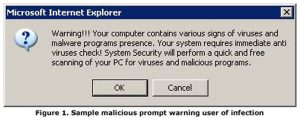
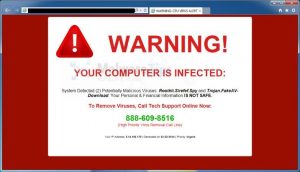 Our computers slow down. Internet doesn’t work. We see random pop-ups happen or we sometimes flat out see an image like this populate our screen. How did this happen? How do we fix it? We’d like to offer a few tips about protecting your computer whether it is Windows or Apple OS (Yes, Apple owners, you too can be infected and are NOT impervious to viruses and malware).
- NEVER contact a number or an email that some pop up tells you to!!!! I can NOT stress this enough. Call a professional, like Cyberdyne Systems or someone else who is qualified to fix your problem if you feel you can’t.
- We recommend running one anti-virus program as well as one anti-malware program. Windows has a built in program called “Windows Defender” and you Mac users have “XProtect” built in. Both of these are OK programs and you should run something a little better. Not all anti-virus programs are created equal. We don’t recommend “complete security” solutions as these add a LOT of overhead to your computer and unless you are running a top of the line machine, these can actually slow you down. Try different options out there and see what you like. We have been using Sophos Home recently and are having good results and no big slow downs.
- For Antimalware on BOTH platforms, we recommend using Malwarebytes. It’s free, very well respected and doesn’t take up a lot of computer resources.
- If you are surfing the net and ever come across any prompts that you do not know if you should say yes or no on, CLOSE the prompt! Never authorize any program or download that you are ever unsure about.
- NEVER open emails or attachments in emails from people you don’t know or files you weren’t expecting.
- Most importantly, if you are ever in doubt, call an IT pro!